
所需依赖
前言
使flutter时,遇到了需要获取设备当前位置或实时监听设备位置的需求,但是近两年国内的地图服务商(包括但不限于高德地图、百度地图)都升级了技术服务许可,不开通技术服务许可无法使用他们api进行商业服务,但是对于我们来讲目前的商业版图是无法承担这个成本的,而且仅仅是使用定位服务,所以才有了此方案。
但是,这个方案也有需要注意的地方,geolocator默认获取到的经纬度WGS84坐标,而高德使用的则GCJ02火星坐标,所以我们需要coordtransform_dart库来把坐标给转换成火星坐标。
安装插件
# 安装geolocator
flutter pub add geolocator

# 安装coordtransform_dart
flutter pub add coordtransform_dart
权限
安卓
    <uses-permission android:name="android.permission.ACCESS_FINE_LOCATION" />
    <uses-permission android:name="android.permission.ACCESS_COARSE_LOCATION" />
    <uses-permission android:name="android.permission.ACCESS_BACKGROUND_LOCATION" />
工具类
class PositionInfo{
  Position position;
  double lng6;
  double lat6;
  PositionInfo(this.position, this.lng6, this.lat6);
}

Future<PositionInfo?> getCurrentLocation() async {
  // 判断定位服务是否开启
  bool serviceEnabled = await Geolocator.isLocationServiceEnabled();
  if (!serviceEnabled) {
    return Future.error('定位服务未开启');
  }

  // 检查权限
  LocationPermission permission = await Geolocator.checkPermission();

  if (permission == LocationPermission.denied) {
    permission = await Geolocator.requestPermission();
    if (permission == LocationPermission.denied) {
      return Future.error('定位权限被拒绝');
    }
  }

  if (permission == LocationPermission.deniedForever) {
    return Future.error('定位权限永久拒绝,请到设置中开启');
  }

  // 获取当前位置
  Position loc =  await Geolocator.getCurrentPosition(
    locationSettings: LocationSettings(
      accuracy: LocationAccuracy.high
    ),
  );

  final outLngLat = CoordinateTransformUtil.wgs84ToGcj02(loc.longitude, loc.latitude);
  double lng6 = double.parse(outLngLat[0].toStringAsFixed(6));
  double lat6 = double.parse(outLngLat[1].toStringAsFixed(6));
  return PositionInfo(loc, lng6, lat6);
}
使用方法
获取当前定位
final location = await getCurrentLocation();
if (location != null) {
  print(
  "当前坐标经纬度:${location.lng6},${location.lat6},精度${location.position.accuracy}米",
  );
}
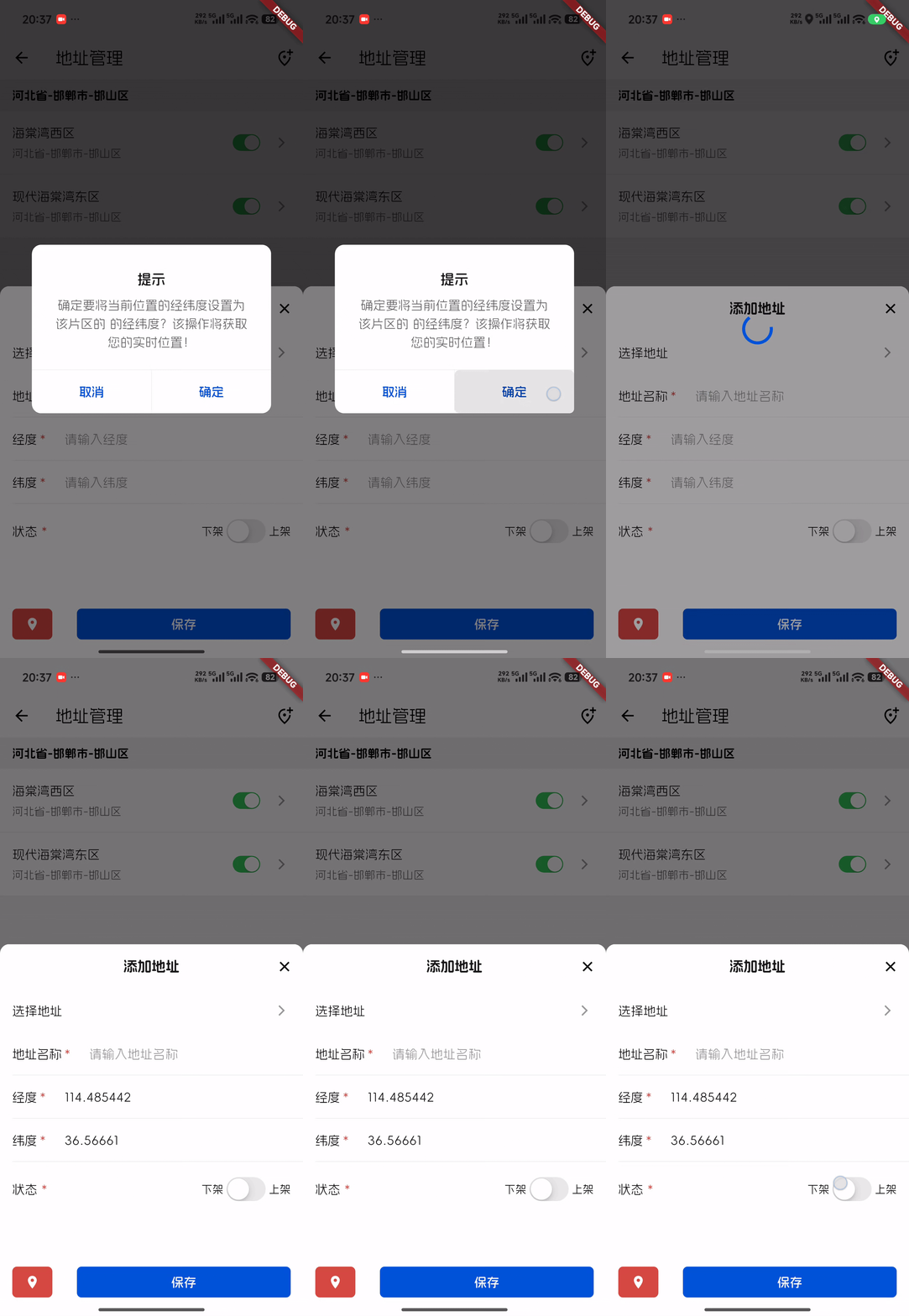
Demo
showGeneralDialog(
    context: context,
    pageBuilder:
        (BuildContext buildContext,
         Animation<double> animation,
         Animation<double> secondaryAnimation,) {
             return TDAlertDialog(
                 title: "提示",
                  content:"确定要将当前位置的经纬度设置为 ${_provinces.title == "" || _provinces.title == null ? "该片区的" : '【${_provinces.title}】'} 的经纬度?该操作将获取您的实时位置!",
                  buttonStyle:TDDialogButtonStyle.text,
                  rightBtnAction: () async {
                      Navigator.of(context).pop();
                      LoadingController.instance.show();
                      final location = await getCurrentLocation();
                      if (location != null) {
                          print("当前坐标经纬度:${location.lng6},${location.lat6},精度${location.position.accuracy}米");
                      }
                      LoadingController.instance.hide();
                  },
             );
         },
)